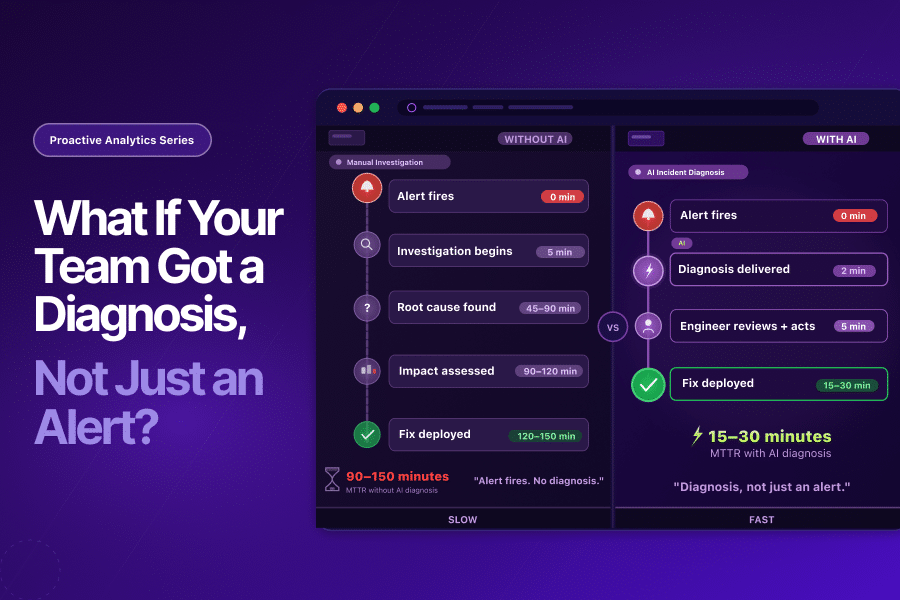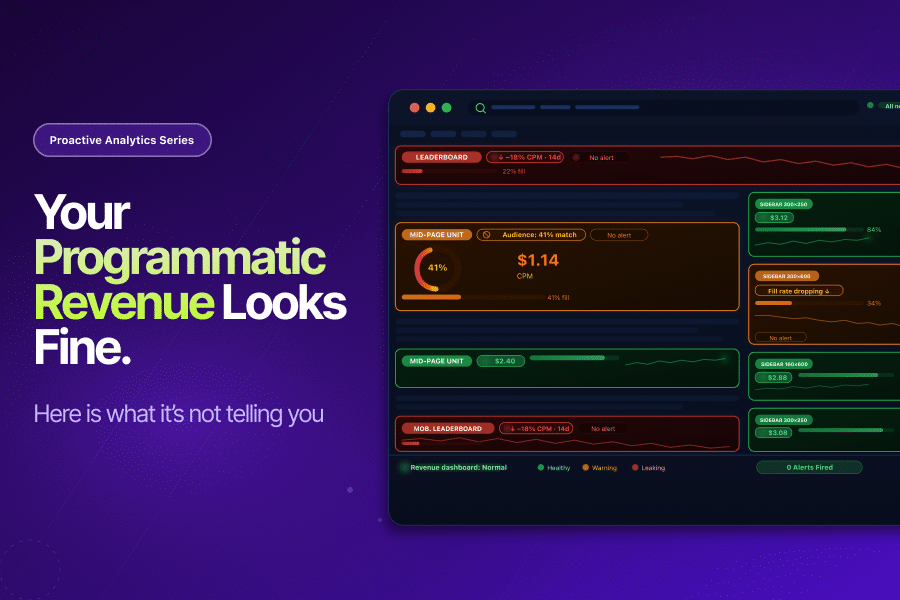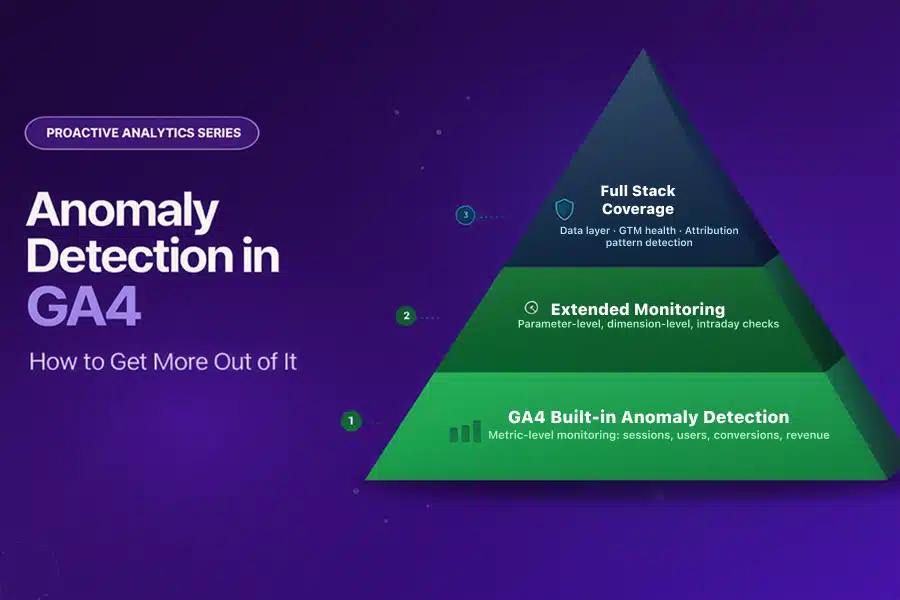
This is the third blog in Tatvic’s Proactive Analytics series. In the first blog , we established why reactive analytics is costing businesses more than they realise. In second blog, we applied that thinking to marketing attribution. This blog focuses on the capability that sits at the heart of proactive analytics: anomaly detection in GA4.
We have written about anomaly detection before from a technical standpoint. This blog takes a different angle: what GA4’s built-in anomaly detection already does well, and how extending it across additional monitoring layers makes your entire analytics setup significantly more powerful.
GA4’s anomaly detection is a strong starting point. The question worth asking is: how much further can you take it?
What GA4 Built-in Anomaly Detection Already Does Well
GA4’s approach to anomaly detection in GA4 is genuinely sophisticated. It uses a Bayesian statistical model that learns from your historical data to establish expected ranges for your metrics:
- Hourly anomalies: Based on 2 weeks of historical data
- Daily anomalies: Based on 90 days of historical data
- Weekly anomalies: Based on 32 weeks of historical data
The September 2024 GA4 update added anomaly detection directly into detail reports, surfacing unexpected spikes or dips as visual indicators on your charts without any manual setup. Custom insights extend this further, allowing you to define specific conditions that trigger alerts for the metrics that matter most to your business.
This is a meaningful capability. It surfaces significant metric-level shifts automatically, reduces the manual monitoring burden, and gives analysts a starting point for investigation when something in your data changes. For teams that have not yet enabled GA4’s built-in anomaly detection, doing so is the right first step.
The opportunity is in what comes next.
Taking Anomaly Detection in GA4 Further
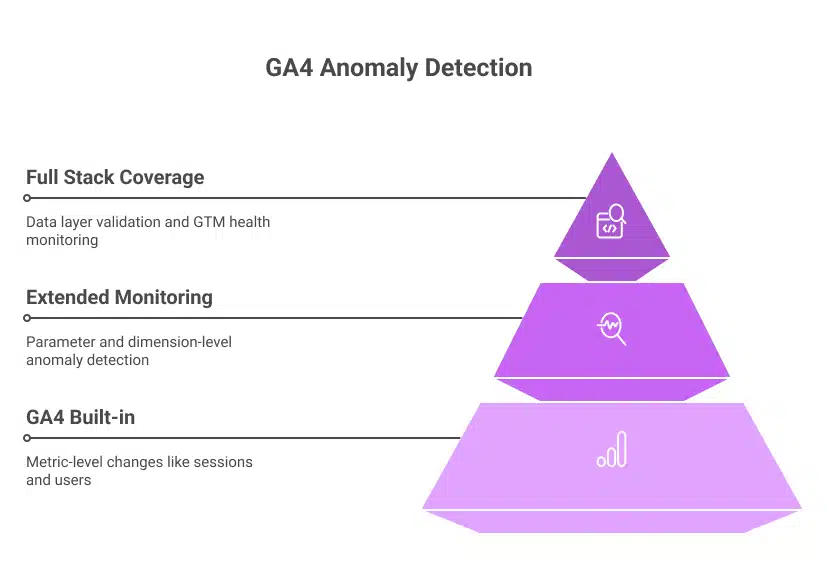
GA4’s built-in monitoring operates at the metric level: sessions, users, conversions, revenue. This is the right layer to start with. But business anomalies rarely live only at the metric level.
They live in the data underneath the metrics:
- A conversion event firing correctly but passing the wrong parameter value
- A revenue drop isolated to one browser version while all others remain stable
- A checkout parameter schema mismatch introduced by a developer change that does not affect the headline conversion count
At the metric level, these look normal. At the parameter, dimension, and data collection layer, they are anomalies with real business consequences.
Extending anomaly detection in GA4 across these deeper layers is what separates a monitoring setup that catches the obvious from one that catches the costly.
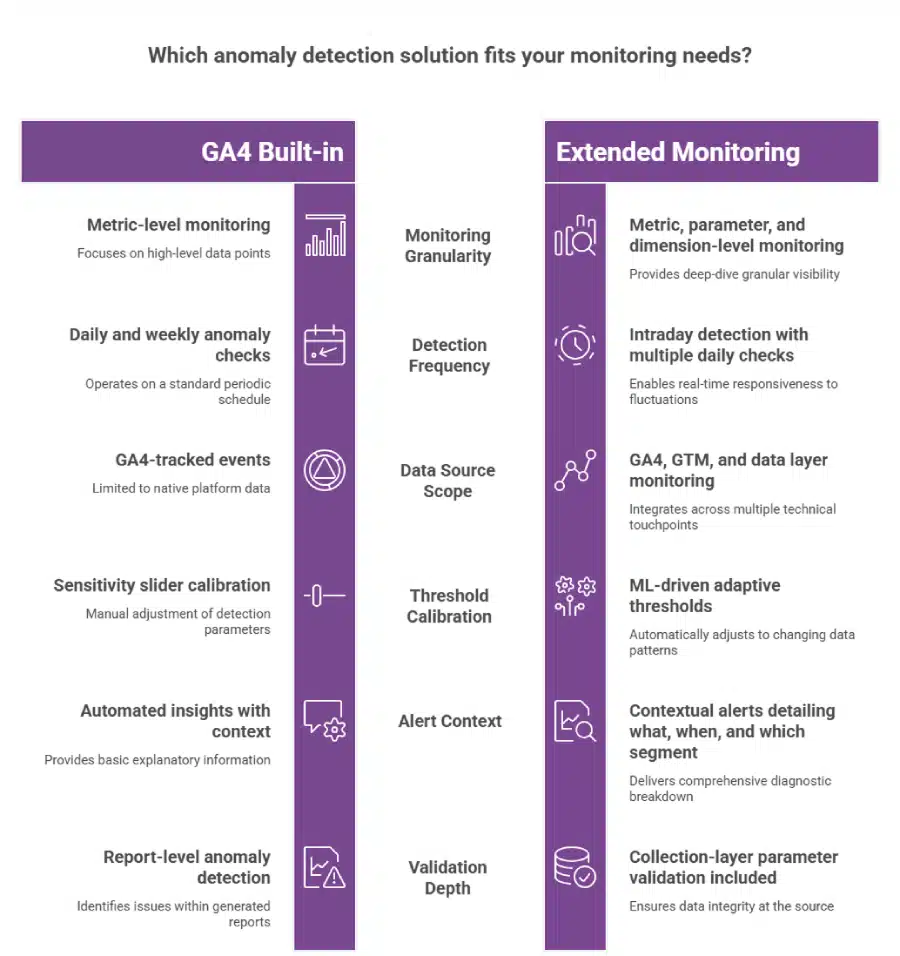
Three Layers That Make GA4 Anomaly Detection More Powerful
Layer 1: Parameter-Level Monitoring
GA4’s built-in anomaly detection watches whether a metric has moved. Parameter-level monitoring watches whether the data feeding that metric is accurate.
In practice, this means:
- Validating event parameters against expected schemas on a continuous basis
- Flagging null values, type mismatches, or unexpected value ranges at the point of collection
- Detecting when an event fires more or fewer times than expected within a session
- Catching currency code mismatches, null transaction IDs, or malformed product arrays before they populate your reports
This is where Tatvic’s GTM health monitoring operates: at the collection layer, validating data before it reaches the metric level where GA4’s anomaly detection watches. Together, they create a complete monitoring chain from data entry to report.
Layer 2: Dimension-Level Anomaly Detection
Business anomalies are rarely uniform. A revenue drop might be specific to:
- Users on a particular browser version after a site deployment
- Users in a specific geographic region after a payment provider outage
- Users on a particular device type after a mobile UX change
When this happens, the aggregate revenue metric may remain within its expected range while the dimension-level collapse goes undetected. Dimension-level anomaly detection monitors specific combinations of metrics and dimensions simultaneously, surfacing the signal that the aggregate hides.
Tatvic’s in-house anomaly detection solution allows monitoring across dimension combinations such as revenue by browser and region simultaneously, flagging the isolated drop before it is absorbed by a healthy aggregate. You can see how this works across real client scenarios in the anomaly detection safeguards business performance blog.
Layer 3: Intraday Monitoring on High-Value Events
GA4’s daily anomaly model is well-suited to identifying overnight or multi-day shifts in your data. For time-sensitive business events, intraday monitoring adds an additional layer of speed.
Consider the scenarios where timing matters most:
- A new campaign launches with a tracking misconfiguration at 9 am. Intraday monitoring catches it within hours.
- A payment flow breaks during peak trading. Conversion data drops. An intraday alert fires the same morning.
- A flash sale drives traffic that exceeds infrastructure capacity. Bounce rates spike sharply. The alert arrives before the sale ends, not after.
Tatvic’s anomaly detection runs checks multiple times per day, giving teams hours rather than a full day to respond to time-sensitive issues. The faster the detection, the smaller the window during which bad data influences decisions.
Adaptive Baselines: Making GA4 Anomaly Detection Smarter Over Time
GA4’s custom insights include a sensitivity slider that lets you calibrate how easily anomalies are flagged. This gives you control, and it also creates an ongoing calibration responsibility:
- Promotional periods that double your typical traffic can trigger alerts for spikes that are entirely expected
- Seasonal patterns require manual threshold adjustment before each peak period
- Day-of-week variation can produce false alerts on naturally slower traffic days
ML-driven adaptive baselines solve this automatically. Rather than a fixed sensitivity setting, adaptive models continuously learn your business patterns, including seasonality, campaign cycles, and day-of-week variation, and adjust expected ranges accordingly.
The result: anomaly detection in GA4 that produces actionable alerts during campaigns, not noise. Expected peaks are recognised as expected. Genuine deviations stand out clearly because the baseline already accounts for normal variability.
Extending Anomaly Detection to Attribution Patterns
One of the most valuable extensions of anomaly detection in GA4 is applying it to attribution data rather than just traffic and conversion volume.
When paid social’s share of conversion credit drops by 30% over 48 hours without a corresponding change in spend, that is an anomaly in your attribution chain, not your traffic volume. GA4’s built-in monitoring watches metric totals. Attribution pattern monitoring watches how credit is distributed across channels over time.
As explored in the proactive attribution blog, this layer of anomaly detection catches UTM failures, cross-domain tracking breaks, and channel misattribution while there is still time to act, before budget decisions are made on a distorted performance picture.
The Market Signal: Why Businesses Are Extending Beyond Built-in Tools
The investment trend in anomaly detection reflects how seriously businesses are treating this. The global data anomaly detection market is expected to reach $33.32 billion by 2035, growing from $5.61 billion in 2025 at a CAGR of 19.5%, according to Market.us research. The ML and AI segment is growing fastest, at 18.7% CAGR.
This growth is driven by one consistent business insight: native platform monitoring, while valuable, is the starting layer. The organisations investing in extended anomaly detection are the ones treating data reliability as a business priority, not just an analytics function.
How to Extend Your GA4 Anomaly Detection Setup
Building on GA4’s strong foundation is a layered process. Start with what is already available and add depth systematically.
Step 1: Enable and configure GA4’s built-in anomaly detection fully.
- Activate custom insights for your highest-value metrics: revenue, purchase events, lead form completions
- Set evaluation frequency to daily for core KPIs
- Review and act on automated insights weekly as a starting discipline
Step 2: Add intraday monitoring on your most time-sensitive events.
- Identify the three to five events where a same-day detection matters most
- Configure intraday anomaly checks on purchase events, payment initiations, and primary conversion actions
- Set contextual alerts that include what changed, by how much, and which segments are affected
Step 3: Layer in dimension-level monitoring on your top segments.
- Map your three to four highest-value dimension combinations: top browsers, key markets, primary device types
- Set anomaly detection specifically on these combinations
- Use these alerts as the early warning system for localised failures that aggregate metrics conceal
Step 4: Validate your data collection layer continuously.
- Anomaly detection in GA4 at the report level depends on accurate data collection
- Pair your monitoring setup with continuous GTM health checks and parameter-level validation
- This ensures the data GA4 watches is reliable before anomaly detection begins
Step 5: Extend anomaly detection to your attribution patterns.
- Monitor direct traffic share and channel attribution distribution alongside volume metrics
- Set alerts for shifts in attribution credit that do not correspond to spend changes
- This closes the loop between proactive analytics and proactive attribution monitoring
The Takeaway
GA4’s built-in anomaly detection is a genuine asset. It gives analytics teams automated, ML-powered monitoring without additional tooling, and it has improved significantly with each GA4 update.
Extending it adds three meaningful capabilities:
- Parameter and data layer monitoring that validates what GA4 watches before it is watched
- Dimension-level detection that surfaces localised anomalies that aggregate conceal
- Intraday intelligence that reduces detection time from days to hours on your most critical events
The goal is not to replace what GA4 provides. It is to build a monitoring setup that is as complete as the business decisions that depend on it.
Every analytics setup benefits from anomaly detection. The deeper the monitoring goes, the more reliable the data it protects.
Want to understand how your current GA4 anomaly detection setup can be extended? Tatvic’s team can map your monitoring coverage across metric, parameter, dimension, and collection layers in a structured review. Schedule a call with Tatvic’s experts today.